 NotaBene
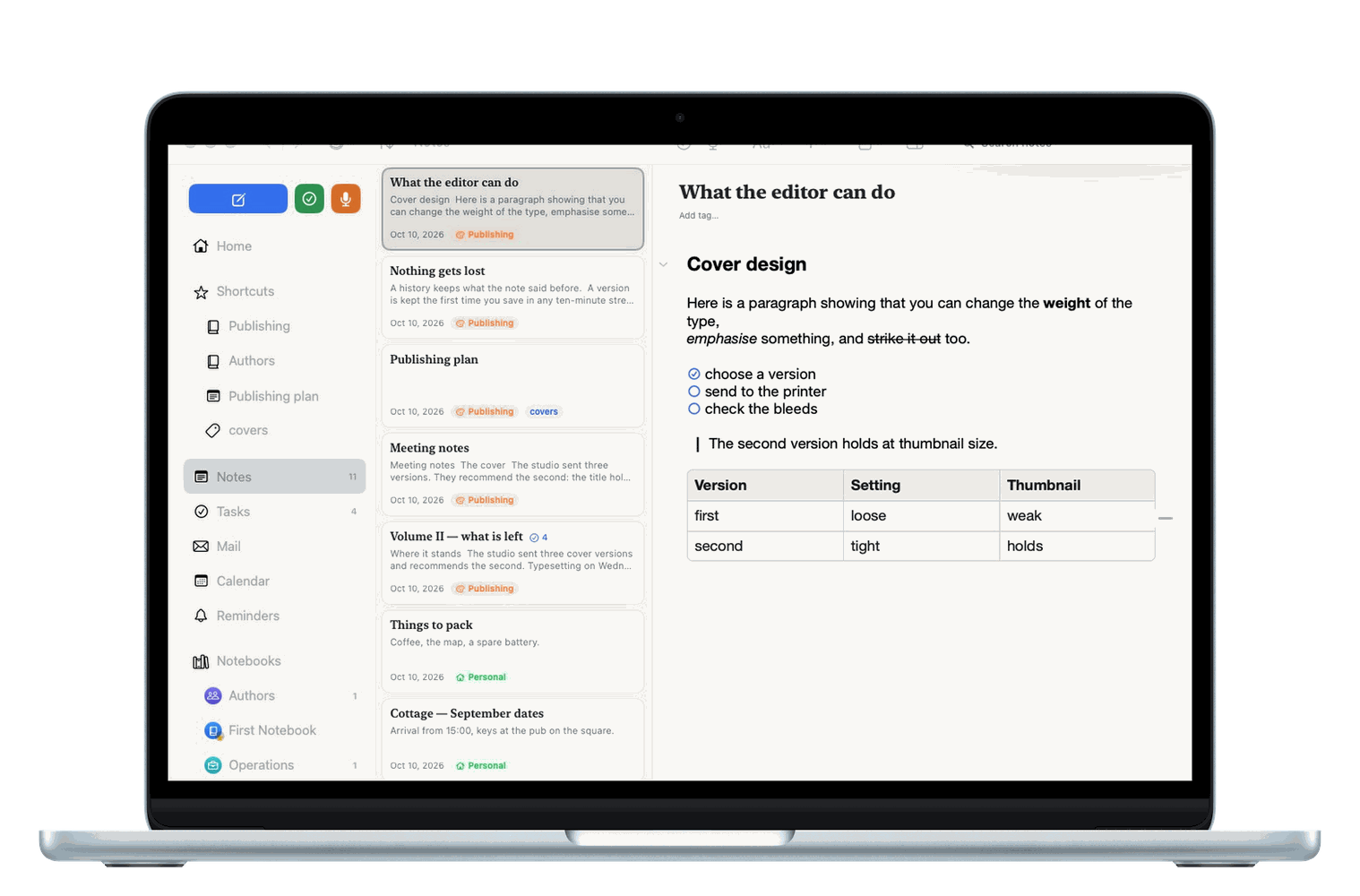
Mac
Three columns, a full menu bar and keyboard shortcuts. Open an attachment in Word or Excel and ⌘S there carries it back into the note.
Beta 1.0 (350) · public beta
NotaBene is a native notebook for Mac, iPhone, iPad and Apple Watch. Rich editing, PDF annotation, Apple Pencil, scanning, a web clipper and instant search — no account, no ads, no subscription.
Requires macOS 15, iOS 18, iPadOS 18 or watchOS 11 and later. Syncs through your own iCloud.

NotaBene deliberately differs between devices. Each one does what makes sense there — and the way the system's own apps already do it.
Three columns, a full menu bar and keyboard shortcuts. Open an attachment in Word or Excel and ⌘S there carries it back into the note.
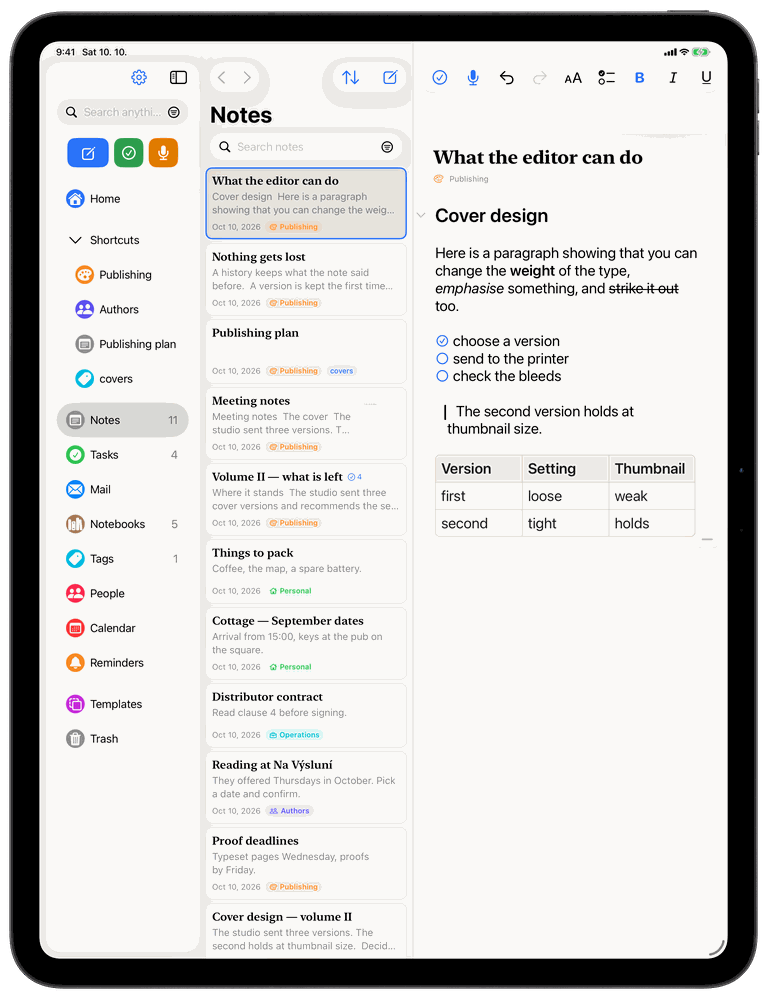
The Mac's layout plus Apple Pencil: a sketch block inside the note and image annotation whose strokes stay editable forever.
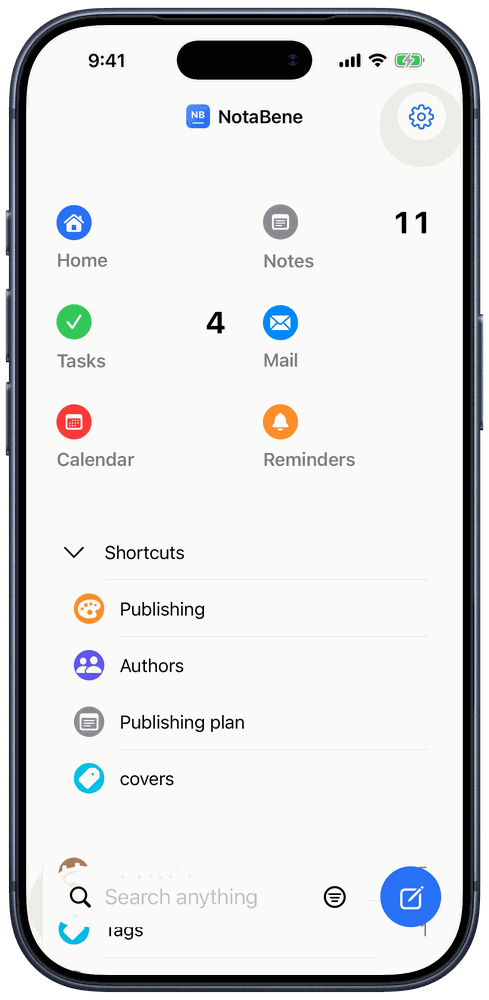
Drill-down navigation, a bottom capsule with the three capture buttons, and custom swipes — up to three actions on each side of a row.
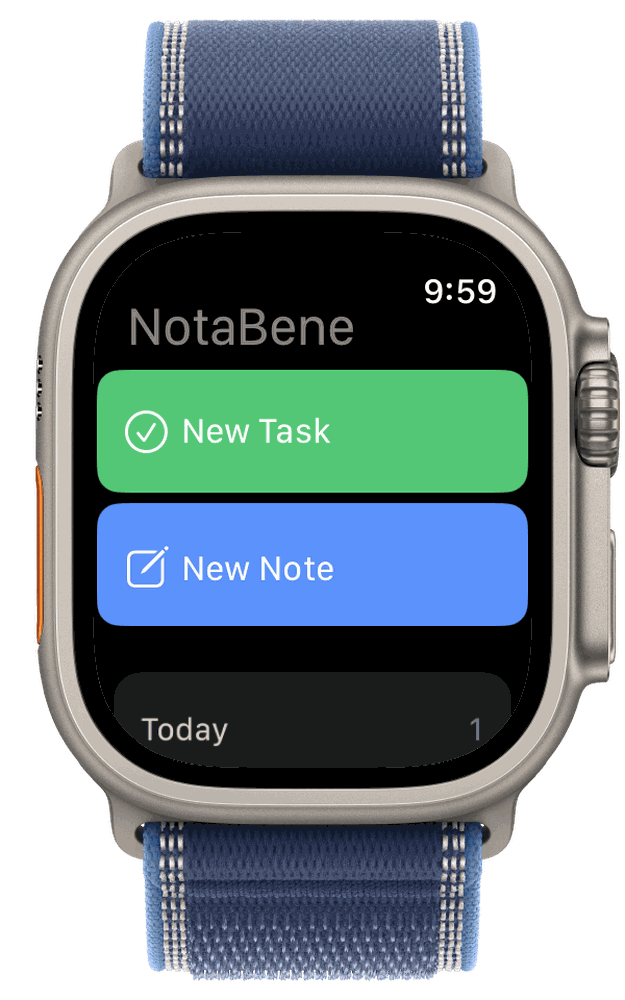
Tasks, notes to read, dictation and complications on the watch face. The watch writes to iCloud on its own, without the phone.
Modelled on Evernote — but native, without the compromises Evernote makes, and without the parts it charges for.
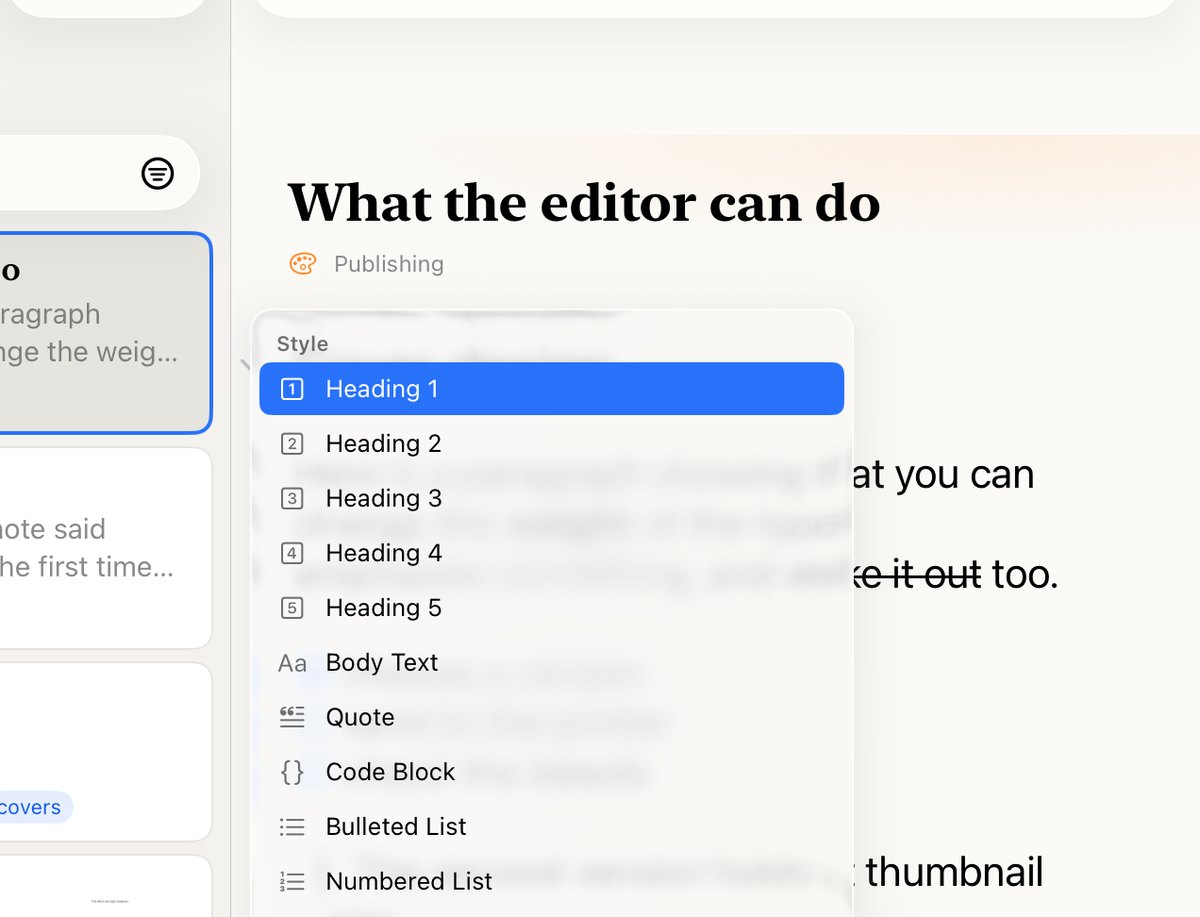
Headings, bold, bullets, numbering, checklists, tables, links, images and attachments. Highlighted blocks for what must not get lost. It saves itself about a second after you stop typing — there is no Save button.
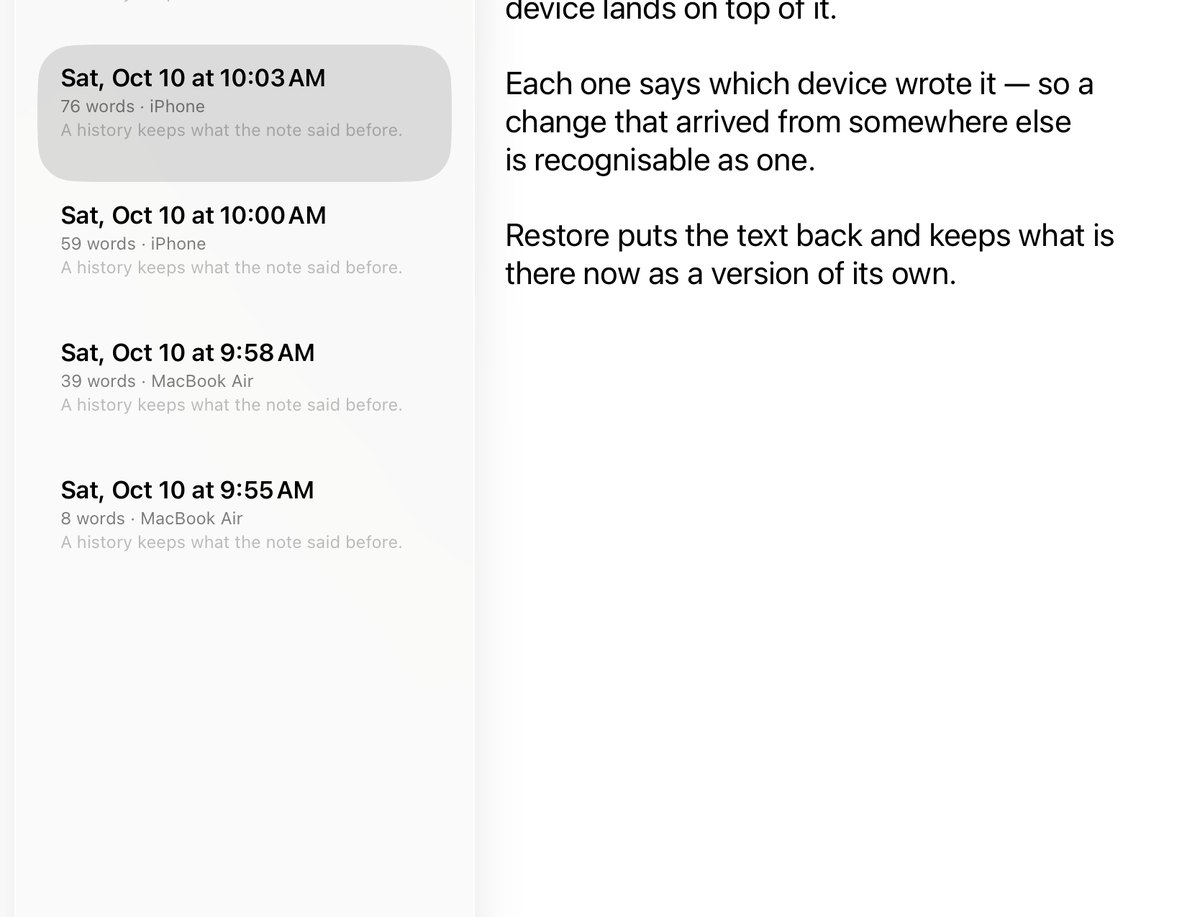
A version is kept the first time you save in any ten-minute stretch, when you close the note, and — the valuable one — just before a change made on another device lands on top of what is here. Each row says when, how long the note was, and which device wrote it, so a history answers where a change was made as well as when. Pick a date to read the note as it was then; Restore puts that text back and keeps what is there now as a version of its own, so restoring can itself be undone by restoring again. The history lives beside the note, so it is the same history on the Mac, the iPhone and the iPad. It keeps the words rather than the attachments — a picture deleted since does not come back — and it thins as it ages, so one note never carries hundreds of them.
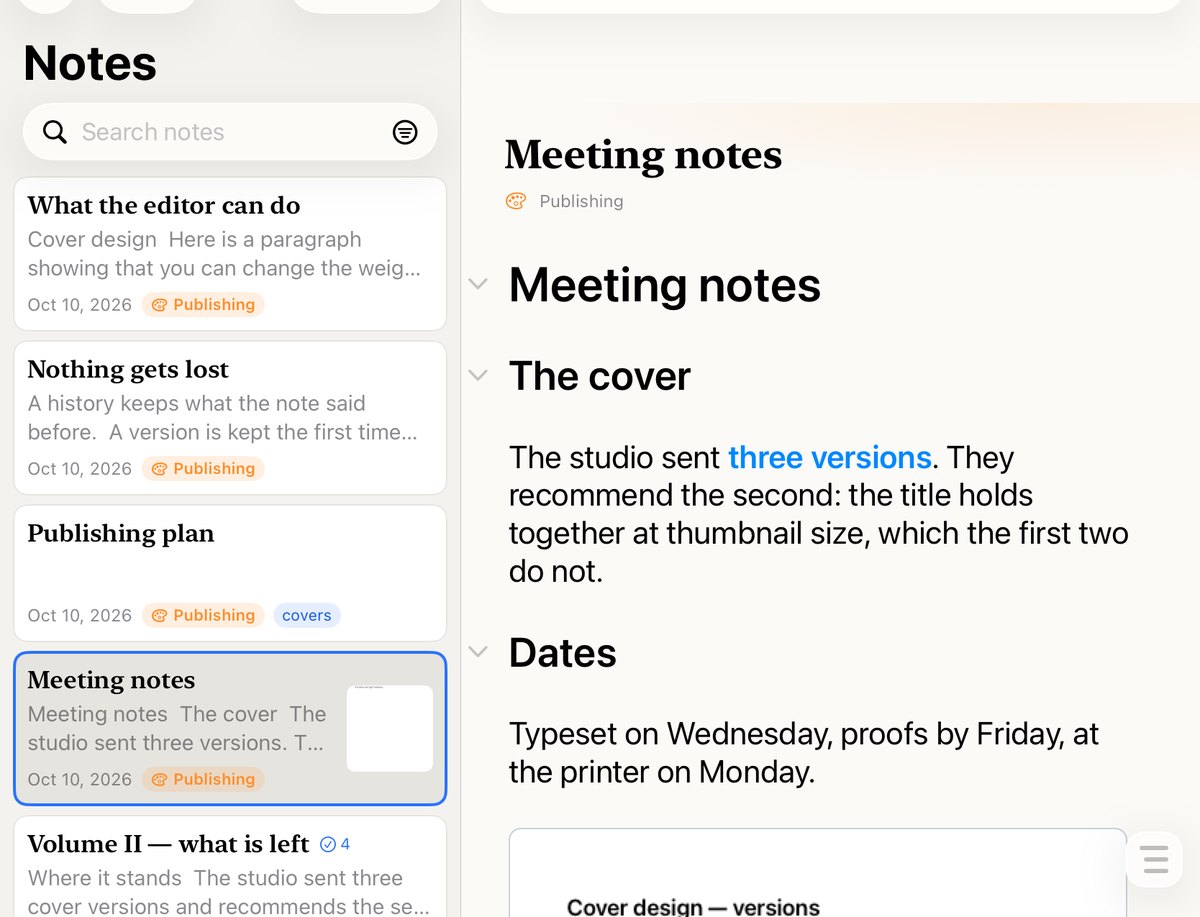
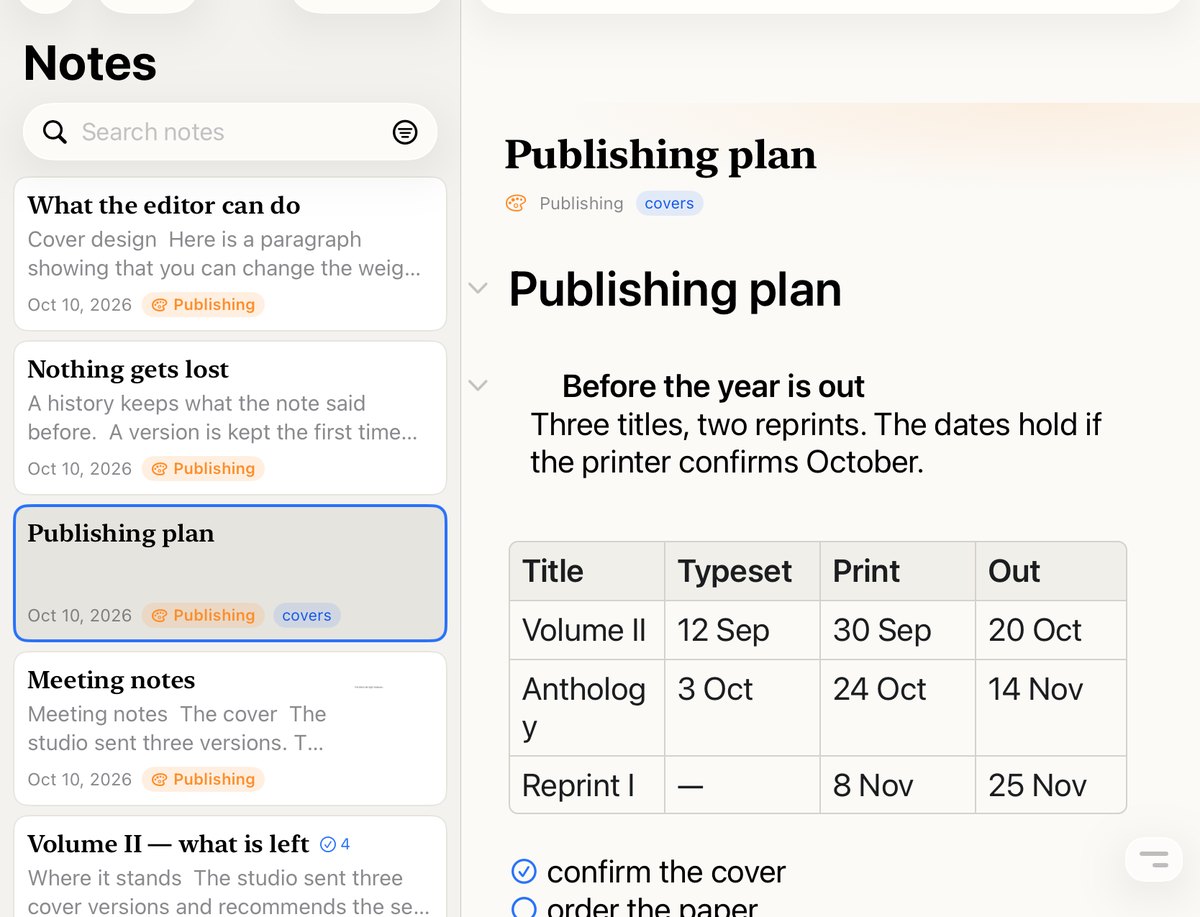
Notebooks stack into each other and tags cut across everything. A note’s card shows its date and its tags at once, and every notebook carries its count, so you can see where things are.
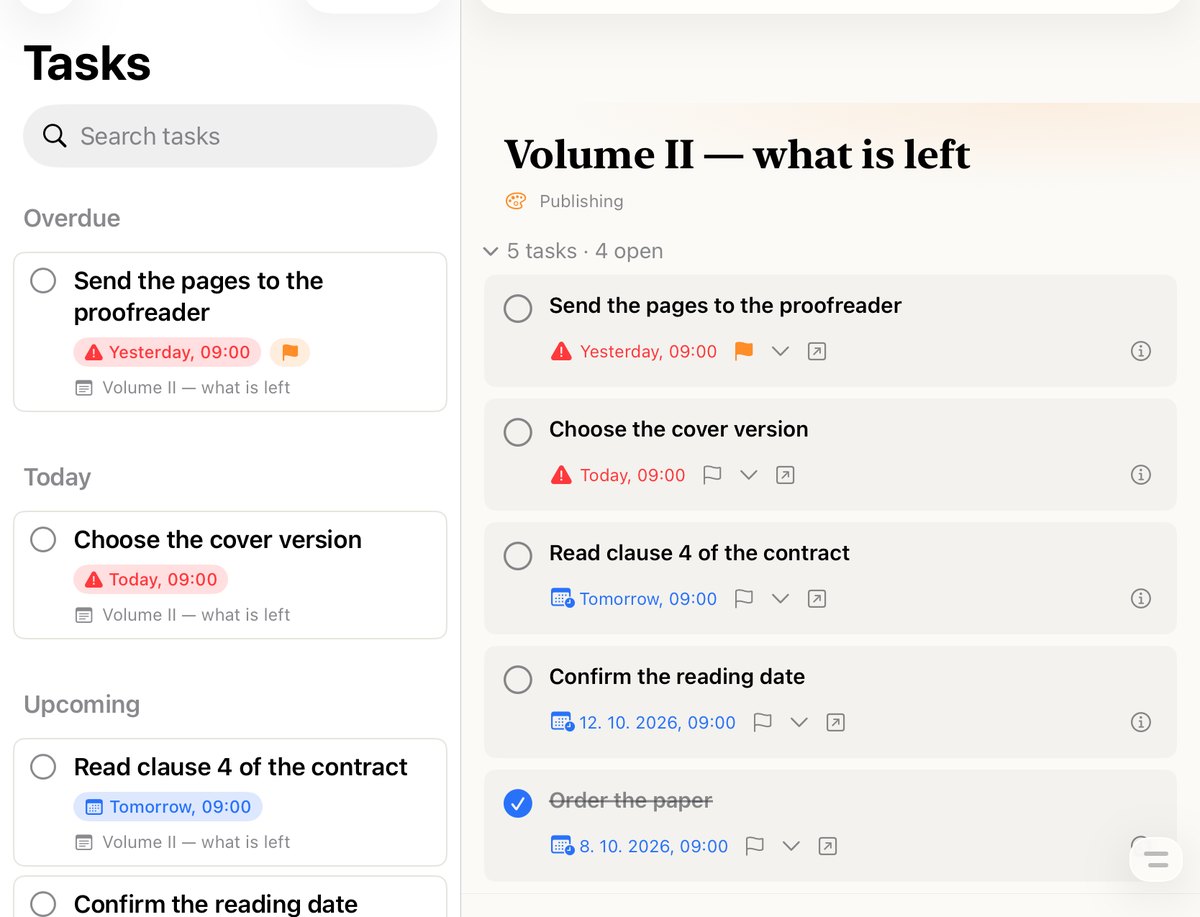
A task belongs to the note it was made in — with a due date, a priority, repetition and a log of what happened. Anything overdue is red. Beside them, Apple Calendar and Reminders in the same pane.
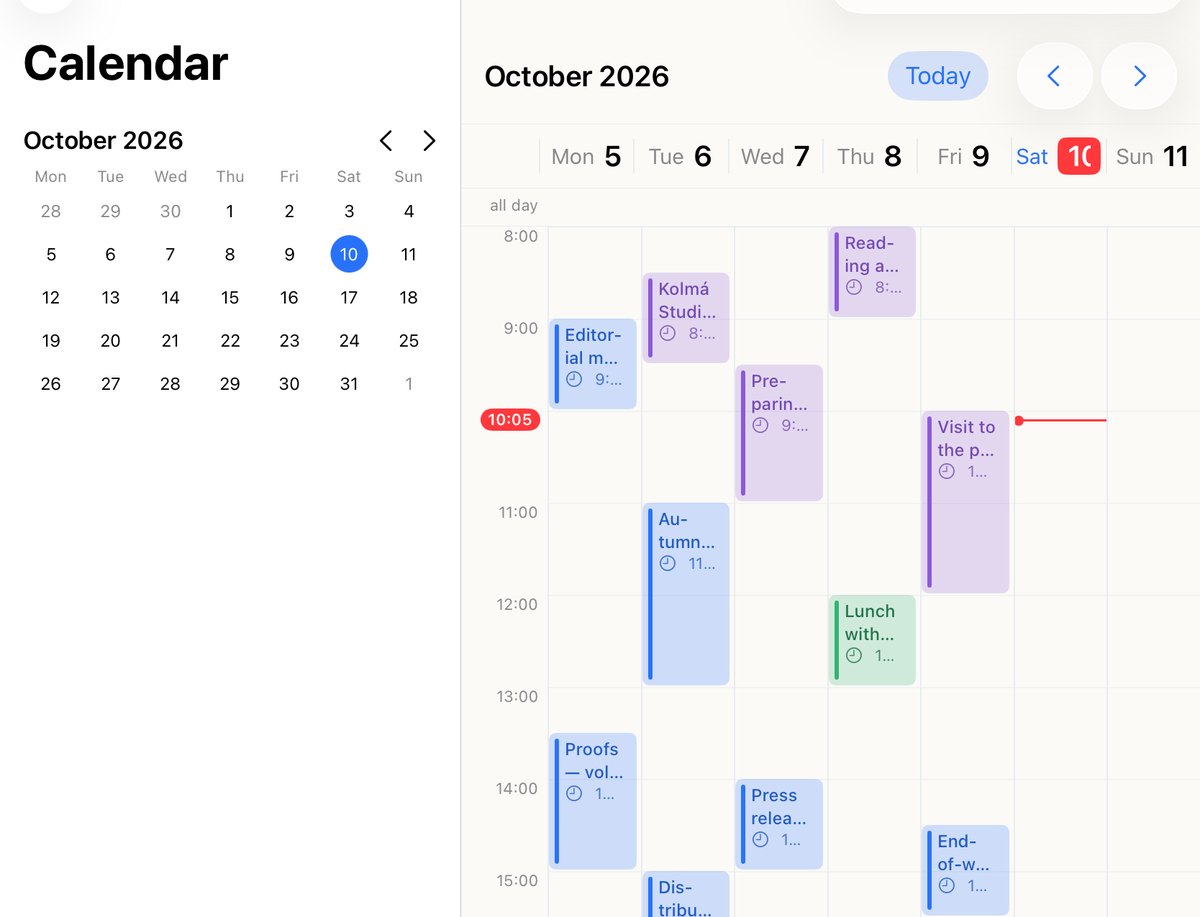
Your Apple Calendar inside NotaBene — every account you keep in it, by day, week or month. A meeting becomes a note in one tap: named after it, remembering which meeting it belongs to, and reachable again from the event. Or link a note you already have. Recording a meeting starts from the same place.
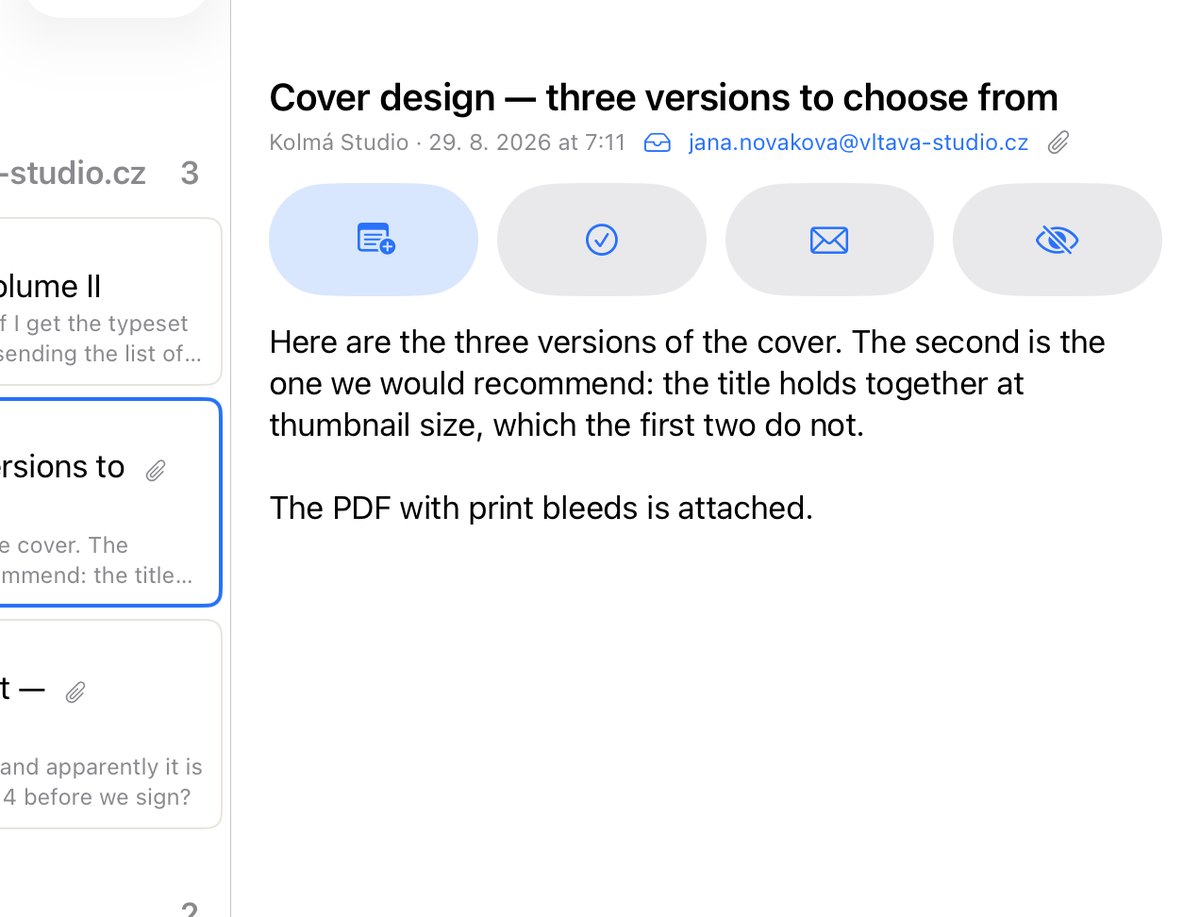
Flag it in Outlook, in Mail or in the browser — and the message is in NotaBene. A Microsoft mailbox connects by signing in, any other with an address and a password: iCloud, Gmail, Seznam, a company server. A message becomes a note or a task with its attachments, and the envelope on the card leads back to the original e-mail. It only ever reads the mailbox — flags and unread marks are never changed.
Three buttons at the top of the sidebar for a note, a task and dictation. Under them Shortcuts: notes, notebooks, tags and saved searches in one hand-ordered list. These Shortcuts are that list, not Apple’s Shortcuts app — that one is further down.
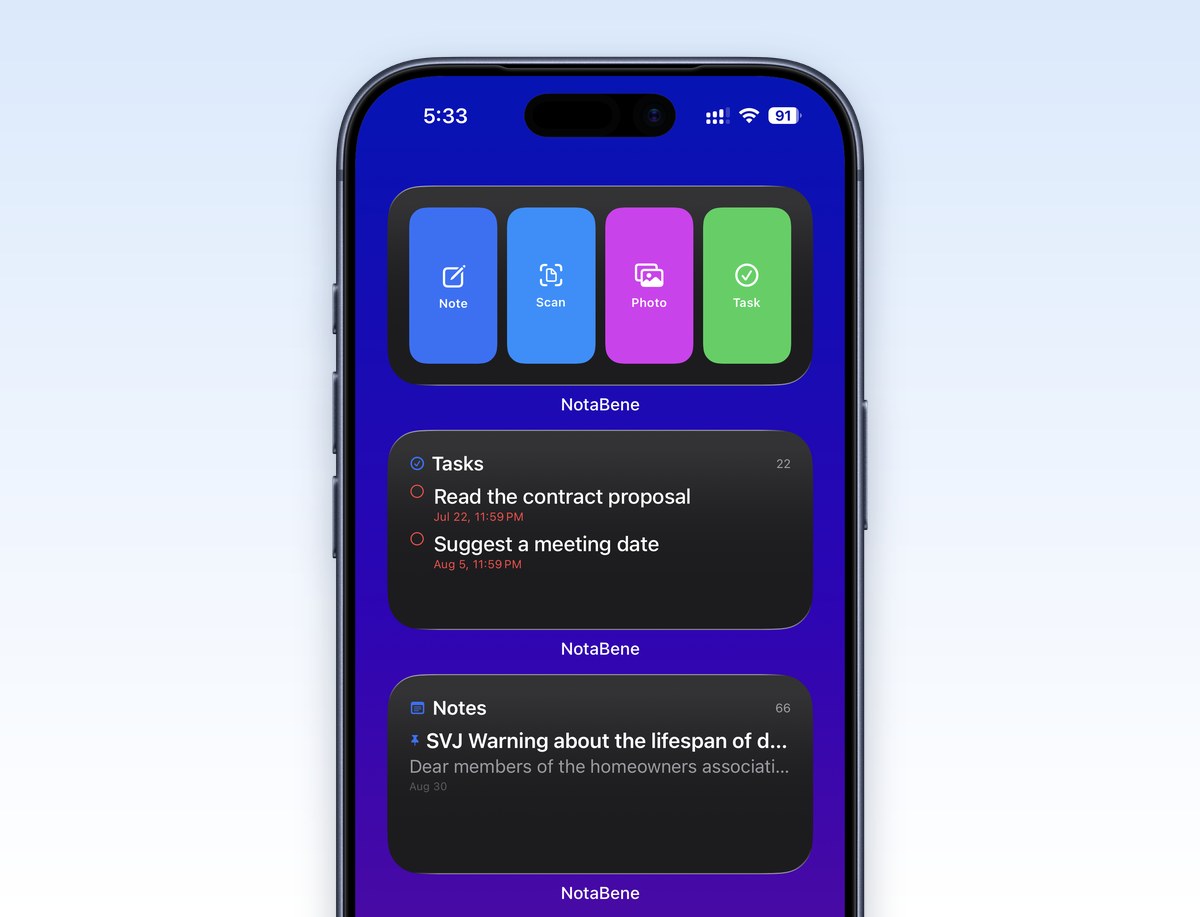
Notes, tasks and quick capture on the Home Screen — small, medium and large, and extra large on the iPad. The Notes widget shows the whole library, one notebook or one tag; Tasks sorts by date and anything overdue is red. Tapping a row opens that note, tapping the header opens the list. On the Lock Screen and in StandBy there is the count of what is open and the next thing due. The language is the one chosen in NotaBene, not the phone’s.
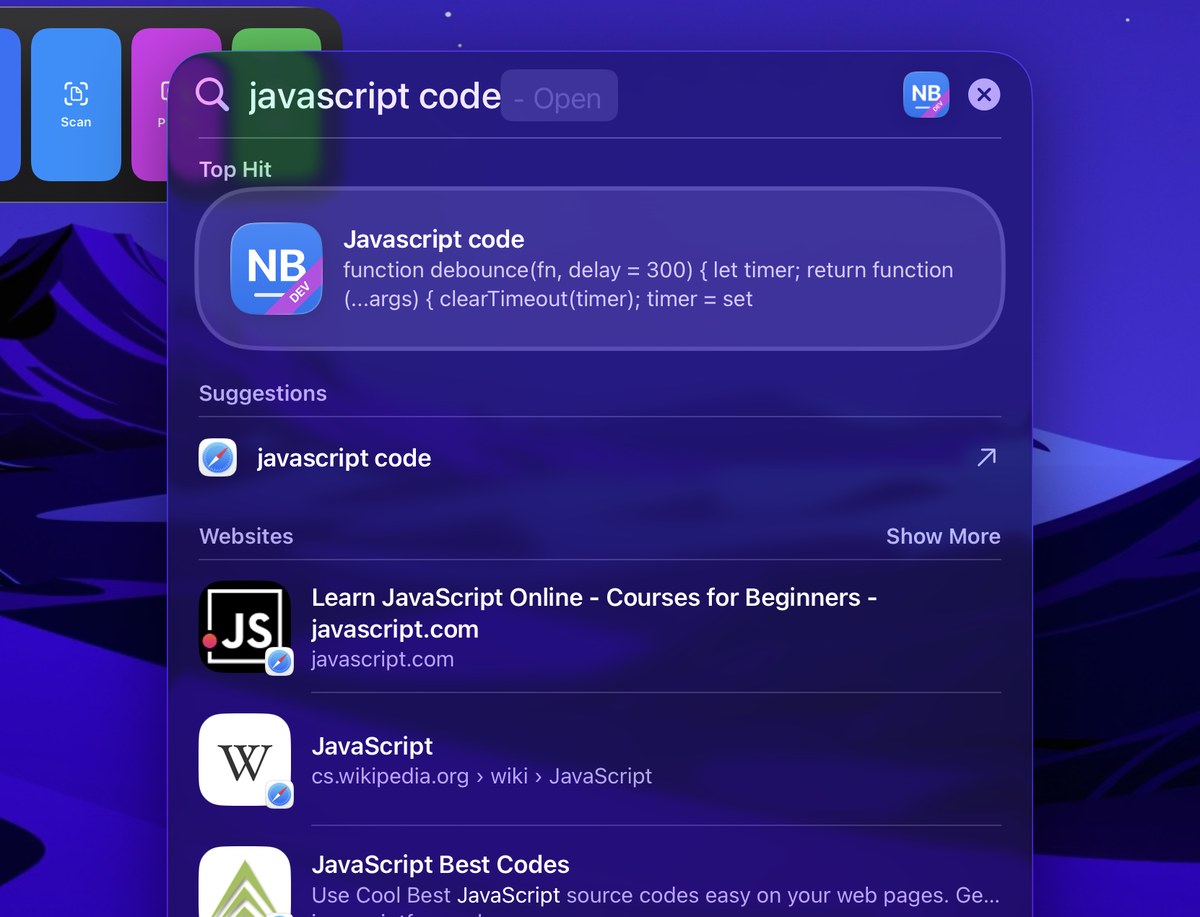
Search from the Home Screen or with ⌘Space and a note comes up with its first lines under the title; a tap opens it on the word you searched for, with the find bar carrying it so ⌘G walks the rest. On the Mac that reaches the whole note: a word from the middle of the text, one from a PDF attached to it, one that OCR read in a photograph. On iPhone and iPad the system offers a note by its title, and the Search in app row hands the same words to NotaBene’s own search, which reads everything inside. The index is the system’s and each device keeps its own — nothing goes anywhere else. The trash and templates are not indexed.
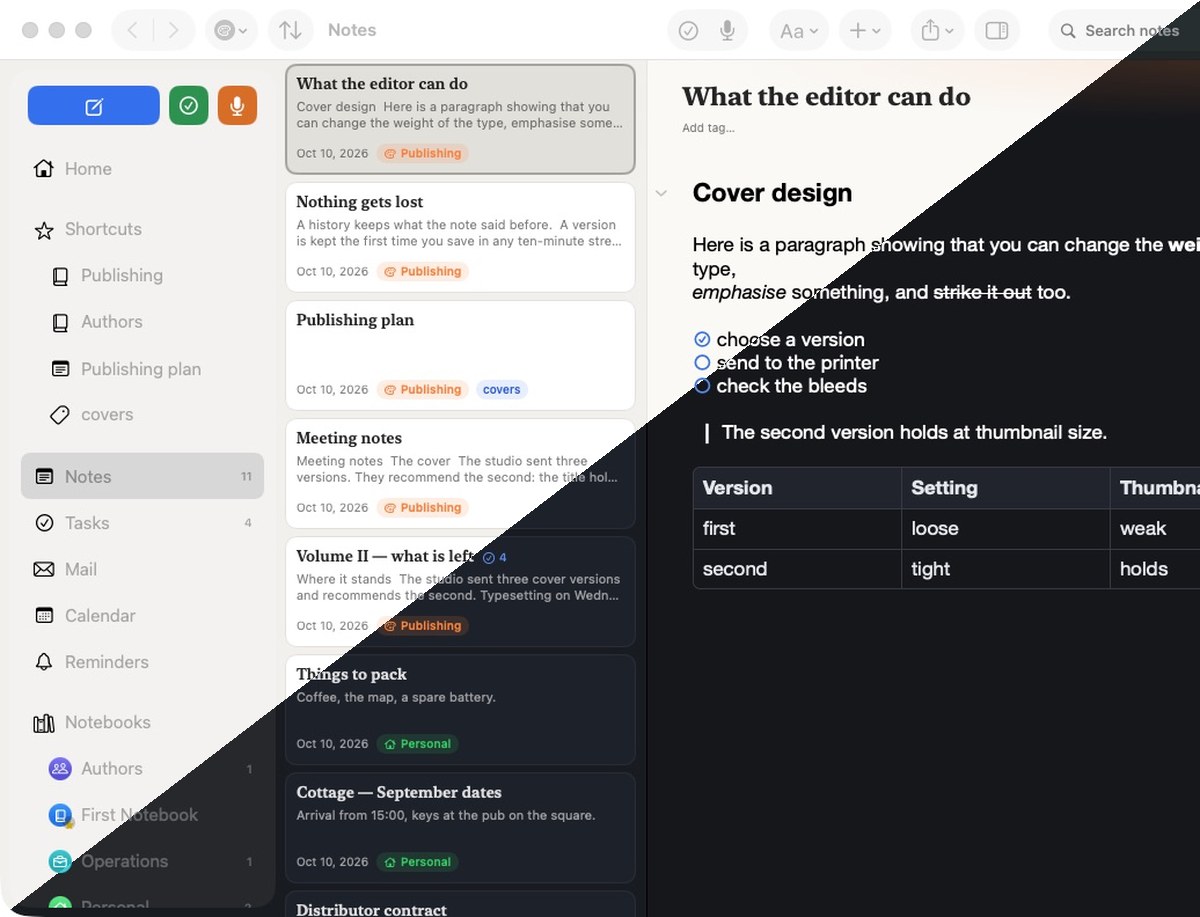
The whole app in both. The switch is in Settings, or leave it to follow the system. The picture is one and the same window, cut in half.
A message you have dealt with leaves the list and stays dealt with on every device — the filter at the top switches between the two lists and names both. A note made from an e-mail is marked with an envelope beside its name and the tag mail; both can be switched off, and the tag can be one of your own.
Case and diacritics don't matter — pise finds píše. It searches inside PDFs, pictures, Word and Excel too. Operators tag:, notebook:, created:, and saved searches.
Highlight, underline, strike out, comment on a selection, and freehand ink. On saving, a summary of every annotation is added as a page of the PDF.
A sketch block inside the note, and annotation on pictures. Every stroke comes back exactly as it was drawn, however many times you re-open it.
Photograph a document and the recognised text is written into the PDF invisibly — from then on the scan is searchable like any other note.
Safari ▸ Share ▸ NotaBene saves the page, or pulls the article out of it without the ads. Notebook and tags are chosen before it lands.
Notes, tasks, quick capture and a pinned note on the Home and Lock Screen. App Intents for Siri, the Shortcuts app, the Action button and Control Centre.
CloudKit mirrors every file on its own: two devices editing different notes never collide, and a big attachment never holds up your typing. A conflict makes a copy, not a silent overwrite.
Save a note as a template and start from it. Every note keeps its own history, and you can go back to any earlier shape of it.
A note to Markdown or PDF; the whole library to folders with YAML front matter that Obsidian reads. Deleted notes wait in the trash until you empty it.
The library is a folder of ordinary files inside the app, mirrored to your private iCloud. Nothing signs you up and nothing reaches a server of ours — there isn't one.
The beta is public: open the link below — no invitation needed.
Tap Try it on TestFlight at the top, or the button below, on the device you mean to test on. No email and no invitation are involved.
Open the linkTestFlight is Apple's free app for handing out betas. Get it from the App Store on iPhone and iPad, and from the Mac App Store on a Mac — two separate items, both free.
Get TestFlightThe link opens TestFlight and offers Accept. Confirm, and NotaBene joins the betas available to you.
Tap Install in TestFlight. The app appears beside your others and behaves like any of them. TestFlight tells you about every new build by itself.
Open in TestFlightOn the Mac you need macOS 12 or later and TestFlight from the Mac App Store — it installs separately there. You don't download the Watch app on its own: it arrives with the iPhone one. If it doesn't appear, it's in Watch ▸ My Watch ▸ Available Apps.
Your notes sync to your own iCloud and nowhere else, but a build in testing can have bugs that damage data. Before you write anything you'd hate to lose, export it: Settings ▸ Import & Export ▸ Export Library.
Bugs are welcome, but the most valuable sentence is "this doesn't feel right". That's what a beta is for.
Take a screenshot and TestFlight offers to send it. Or tap Send Beta Feedback in TestFlight. Your device, OS version and build number come attached automatically — you needn't write any of it.
For anything longer than a sentence. Ideas, behaviour that doesn't sit right, comparisons with Evernote or Apple Notes — all of it helps, and all of it gets read. The form is at the foot of this page.
Go to the formSo that nobody files it as a bug: this is known, and it's next.
The key lives in the Keychain; no third-party server in between.
Drawings and handwritten notes aren't searchable yet.
CloudKit shared zones and a permission model.
Merging notes, paragraph indent, buttons for code and quotation.
Permanently out of scope: Windows, Android and a web version — NotaBene is native SwiftUI. .enex import and export too; Evernote's format is how you leave Evernote, not how you stay in it.
The beta is open to everyone. Install it from the link above — and tell me what your notebook has been missing for years.